

A gap year after university might involve backpacking through Southeast Asia, a working holiday in Australia or several months exploring South America. Whatever your route, your phone will probably hold the tickets, directions and account access that keep the trip moving.
Getting your digital essentials ready means being able to find your hostel, pay for dinner and recover an account when something goes wrong. Start while you still have time to test everything at home.
Organise Your Documents and Accounts Before Graduation
Use a personal email address you will keep after university for travel bookings and important accounts. Check when access to your university email, cloud storage and software licences ends, and move personal files you are entitled to keep before that happens.
Make digital copies of your passport, visa approvals, insurance documents and any required vaccination records. Keep them in protected storage with a strong, unique password and two-factor authentication. Download the files you need for arrival so they open without an internet connection.
Plan for losing the phone as well as losing signal. Keep a separate way to recover your cloud account, and carry a paper copy of essential contacts and your first accommodation address. A passport scan can help with replacement arrangements, but it does not replace the original travel document.
| What to prepare | Where to keep it | Check before departure |
|---|---|---|
| Passport and visa copies | Protected cloud storage and a secure offline copy | Files are readable and match your current documents |
| Insurance details | Offline policy documents and a separate emergency contact note | You can find the policy number and assistance telephone number |
| Arrival information | Offline tickets, accommodation address and check-in instructions | The address includes the local language where useful |
| Account recovery details | A secure place you can reach without your usual phone | Recovery methods work and do not depend entirely on the missing device |
| Emergency contacts | Your phone and a small paper copy | Numbers include international dialling codes where needed |

Our guide to organising passports, visas and IDs before moving overseas offers more ideas for keeping paperwork accessible during an extended trip.
Set Up Payments and a Budget You Can Maintain
Check your bank’s overseas-use guidance, travel-notification policy, withdrawal limits and charges. Test the app before departure and find out how you would contact the bank or freeze a card if your phone disappeared. Keep a backup payment method separately from your main wallet.
Confirm how banking approvals work if you change SIM cards. An account that sends security codes to your UK number needs a workable plan for receiving those messages abroad. Follow your bank’s supported options rather than assuming every account accepts an authenticator app.
A simple spreadsheet or budgeting app can track accommodation, transport, food and activities. Record the currency alongside each expense and allow for conversion charges. Our trip planning guide and spreadsheet can help you connect that budget to a realistic route.

Build an Offline Navigation Toolkit
Download maps before leaving a reliable connection. Google Maps supports downloaded areas in many destinations, but its offline features have limits. Google states that walking, cycling and public-transport directions are unavailable offline. Offline driving directions require the whole route to be within your downloaded map.
Save a separate airport-to-accommodation plan, local transport maps and useful addresses. For hiking, choose appropriate trail or topographic mapping and learn how to use it; a city map is not enough for a remote route. Test any offline navigation and translation tools with mobile data and Wi-Fi switched off.
Choose How You Will Get Online
Compare connectivity options for each country rather than assuming one plan covers the whole year. Check coverage, validity dates and data allowances before buying. If you choose an eSIM, confirm that your particular phone supports it and is unlocked for another provider.
| Connection option | When it may suit you | What to confirm |
|---|---|---|
| Your existing mobile plan | A short stop where roaming is included or reasonably priced | Country coverage, roaming limits and charges for calls, texts and data |
| Local SIM or travel eSIM | Regular mobile access during a longer stay or several border crossings | Phone compatibility, activation rules, hotspot use and whether calls or texts are included |
| Accommodation and public Wi-Fi | Downloading maps, backing up photos and catching up on messages | The correct network name, connection reliability and an alternative for arrival day |
Understand Public Wi-Fi and VPNs
Public Wi-Fi is useful on a long trip. Modern HTTPS connections encrypt information between your browser and a website, so joining a shared network does not automatically expose your passwords. Still, confirm the network name with staff and pay attention to browser security warnings. An encrypted connection does not prove that a website itself is trustworthy.
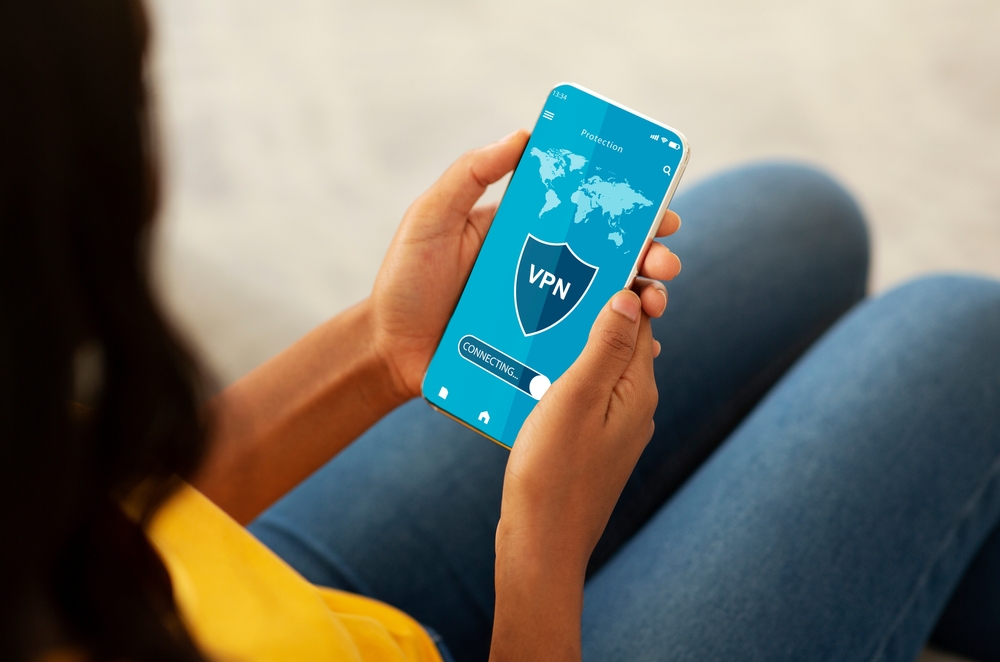
If you want to understand how your connection appears to websites, Proton VPN’s guide to how to change IP address explains the options. A VPN can encrypt traffic between your device and its server and change the public IP address websites see. You are also trusting the VPN provider with that connection.
A VPN cannot create mobile coverage, guarantee access to a service or prevent you entering details on a phishing site. Check local rules and service terms, and test any privacy tools before travelling. The FTC’s public Wi-Fi guidance explains the role of encryption and why checking website addresses still matters.
Protect Your Devices and Test Account Recovery
Install software updates, use a strong screen lock and check that device encryption is enabled. Set up the manufacturer’s device-finding and remote-lock features, and learn how to reach them from another device. Keep photos and important files backed up throughout the trip.
Enable two-factor authentication where available. Supported authenticator apps can generate codes without mobile reception, but online accounts still need a connection to sign in. Store recovery codes securely somewhere you can access independently of your phone, and check each service’s recovery instructions.
Keep the charger and cable you need during a travel day within reach. Our guide to organising your carry-on can help you keep essential documents and electronics easy to find between stops.
Prepare for Emergencies and Keep Someone Updated
Save the local emergency numbers, your insurer’s assistance line and contact details for your accommodation. Use FCDO foreign travel advice to check destination-specific information before departure and as your route changes. Install useful airline, transport and weather apps, but keep essential information available outside them too.
Agree a manageable check-in routine with someone at home. Share your next stop, accommodation and any planned time without reception, plus what to do if you miss a check-in. Share sensitive details privately rather than posting passport images or live travel plans publicly.
Check the Rules Before Planning Remote Work
If freelancing or online tutoring will help fund your gap year, check the destination’s immigration rules before accepting work. Tourist entry does not automatically permit every kind of paid activity, including remote work. Confirm the requirements for your nationality and plans with the relevant immigration authority, and check tax, insurance and employer requirements where applicable.
The UK Government website provides a starting point for information about living and working abroad. Once the practical requirements are clear, test your software, payment arrangements and file access, and agree working hours that fit the time difference.
Before you pack, rehearse your first arrival: open the booking offline, find the address, check your payment backup and make sure someone has your itinerary. Those small checks give you more time to enjoy the trip when you land.
